Loom Free Plan Limits in 2026 (25 Videos, 5 Minutes) and the Best Free Alternatives
StackReview is reader-supported. When you buy through links on our site, we may earn an affiliate commission. This never influences our scores.
Quick verdict
This guide covers Loom for anyone deciding whether Loom's free Starter plan is enough or which free recorder to use instead. Loom Starter is still free, but 25 videos and a 5-minute cap make it a trial in practice. Light users can stay; regular recorders should pay or switch.
Key facts
| Price | Starter $0 (25 videos, 5-minute recordings). Business $18/user/month, Business + AI $24/user/month, both about 17% less on annual billing. Enterprise custom. Checked on loom.com/pricing, 20 October 2026. |
|---|---|
| Best for | Anyone deciding whether Loom's free Starter plan is enough or which free recorder to use instead |
| Free plan | Not stated in this article |
| Rating | Not rated (comparison or guide) |
Summary
Loom Starter is still free, but 25 videos and a 5-minute cap make it a trial in practice. Light users can stay; regular recorders should pay or switch.
Best for: Anyone deciding whether Loom's free Starter plan is enough or which free recorder to use instead

TL;DR: Yes, Loom is still free in 2026, but the Starter plan allows only 25 videos per person and stops every screen recording at 5 minutes. Archived videos and screenshots count toward the 25. If you record more than a few videos a month, either pay for Business ($18 per user per month) or use a free alternative such as Vidyard Free, Zight's free plan or OBS Studio.
Loom's free plan used to be the easy answer to "how do I send a quick screen video?" Since Atlassian bought Loom, the free tier has become a tighter, try-before-you-buy plan. This guide sets out the current limits, checked on Loom's pricing page and Atlassian's Loom support docs on 20 October 2026. It also covers what happens when you hit a limit and which free tools are worth switching to.
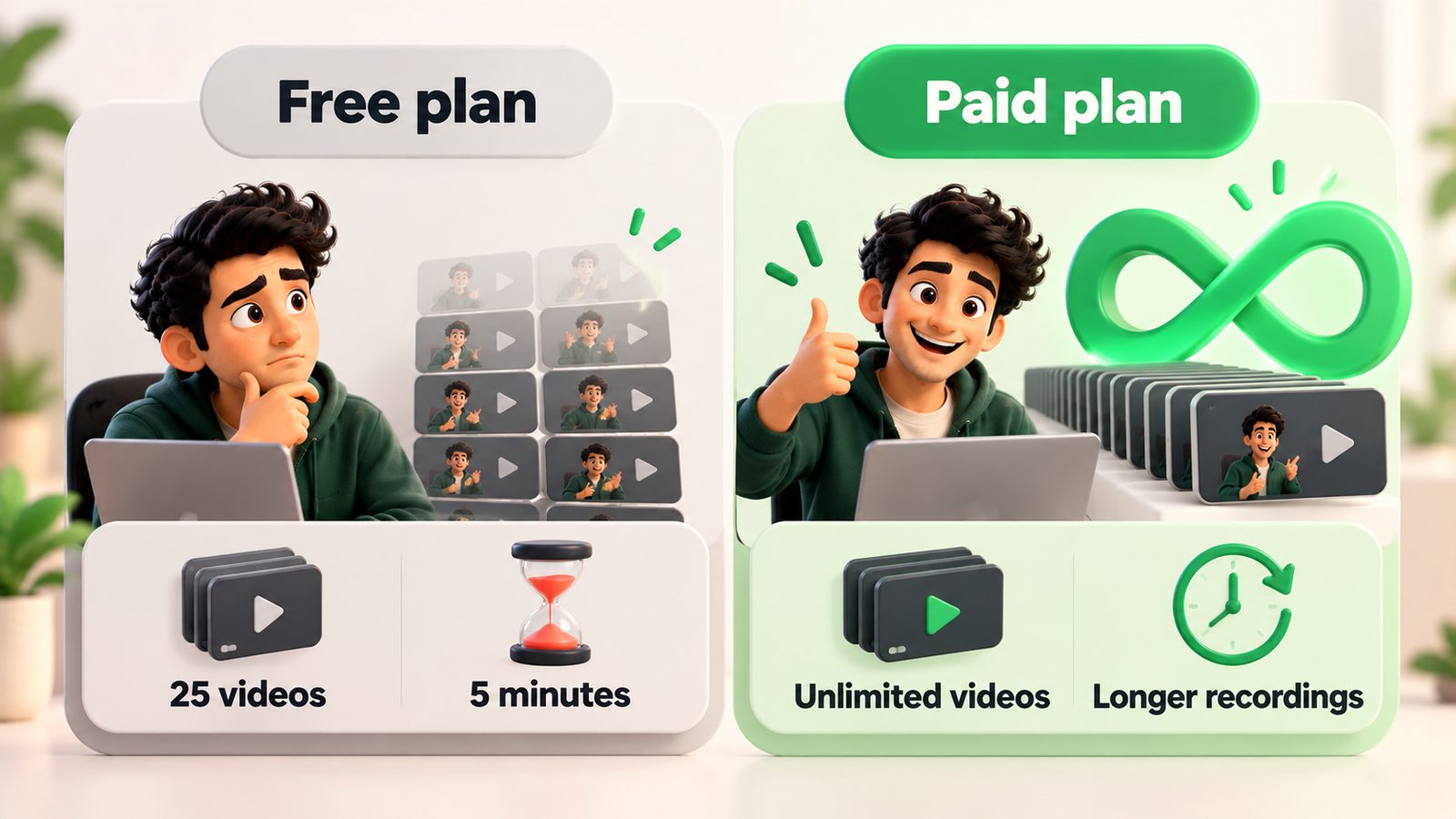
Loom free plan limits at a glance
| Limit | Loom Starter (free) | Loom Business |
|---|---|---|
| Price | $0 | $18 / user / month (about 17% off on annual billing) |
| Videos | 25 per person, including archived videos and screenshots | Unlimited |
| Recording length | 5 minutes per screen recording | Unlimited |
| Meeting recordings | Unlimited meeting length | Unlimited |
| Workspace members | Up to 50 (10 if your account was integrated with Atlassian after February 2026) | Unlimited |
| AI editing and video-to-text | Not included | Needs Business + AI ($24 / user / month) |
Sources: loom.com/pricing, Starter plan FAQ, How long can I record?. Checked 20 October 2026.
Is Loom still free in 2026?
Yes. The Starter plan costs nothing and has no expiry date. The catch is how much you can record. Loom's pricing page lists Starter as "25 videos" and "5 minute screen recordings," while meeting recordings have unlimited length. For a freelancer who sends one walkthrough a week, the 25-video cap runs out in about six months. A team that uses Loom for daily async updates will hit it within weeks.
For our broader view of the product, including where it fits in an async team, see the full Loom review.
What counts toward the 25-video limit?
Atlassian's Starter plan FAQ says the limit is "up to 25 videos and screenshots" and that the count "includes archived videos." Two consequences:
- Archiving doesn't free up space. Moving an old video to the archive keeps it in your count.
- Screenshots use the same allowance. If you use Loom's screenshot feature, each capture uses a slot that could have been a video.
The docs we checked don't say whether uploaded or imported videos count, or whether deleting a video gives you its slot back. If either matters to you, test it on a throwaway video before relying on it.
What happens when you hit the limits?
The 5-minute cap. According to Loom's recording-length doc, a countdown runs during a Starter recording and the recording ends automatically when it reaches zero. Plan your take, or split a longer walkthrough into parts. Each part counts as a separate video, though, so splitting uses up your 25 faster.
The 25-video cap. Loom doesn't delete anything. The Starter FAQ says: "we won't delete them, you just won't be able to record more." Your existing links keep working. To record again you have to upgrade.
How much does it cost to remove the limits?
Business is $18 per user per month, and Loom says annual billing saves 17%. Business + AI is $24 per user per month and adds auto-enhancement, advanced editing and video-to-text features. Enterprise is quote-only.
Worked example for a five-person team where everyone records:
- Business, monthly billing: 5 × $18 × 12 = $1,080 a year
- Business, annual billing (about 17% off): $1,080 × 0.83 ≈ $896 a year
- Business + AI, monthly billing: 5 × $24 × 12 = $1,440 a year
That is reasonable if Loom actually replaces meetings. It is expensive if two people record and three only watch, so check who needs a paid seat before upgrading the whole workspace. The annual figure is our arithmetic from Loom's stated 17% saving. Loom's checkout shows the exact amount.
The best free Loom alternatives in 2026
None of these copies Loom exactly. Each fixes one of its free-plan limits.
| Tool | Free plan limits (checked 20 Oct 2026) | Instant share link? | Best for |
|---|---|---|---|
| Vidyard Free | 5 videos per month, up to 30 minutes each | Yes | Longer walkthroughs and sales videos |
| Zight (free Share plan) | 5-minute recordings, 1 GB storage, last 50 captures accessible | Yes | Mixing screenshots, GIFs and short clips |
| OBS Studio | Free and open source, no recording caps | No (you host the file) | Long or high-quality recordings |
| Your OS recorder (macOS Screenshot toolbar, Windows Snipping Tool) | Built in, no caps | No | One-off clips you will upload elsewhere |
| Tella | No free plan listed; Pro from $13 / user / month on annual billing | Yes | Polished, edited screen videos (paid) |
Vidyard Free is the closest swap if your problem is the 5-minute limit. Its pricing page lists recordings of up to 30 minutes, but only 5 videos a month, so it suits people who record a few longer videos.
Zight has the same 5-minute cap as Loom on its free plan but adds screenshots and GIFs. Its paid Create plan starts at $9.95 per user per month on annual billing, cheaper than Loom Business, which helps if you expect to upgrade anyway.
OBS Studio removes every limit but gives you a video file, not a link. You then upload it to Google Drive, YouTube (unlisted) or similar. That adds steps for quick async replies, but it costs nothing for long recordings.
Which option should you choose?
- You record fewer than 25 short videos in total: stay on Loom Starter.
- You record a few long videos a month: Vidyard Free.
- You mostly send annotated screenshots and short clips: Zight free, then Zight Create if you outgrow it.
- You record long tutorials and don't mind uploading: OBS Studio.
- Your team records every day: pay for Loom Business. At that volume the time saved is worth more than the cost of the seats.
How to get more out of Loom's free plan
- Script before you record. A 5-minute cap is easy to work with if you know your three points in advance.
- Use meeting recording where it fits. Starter allows unlimited meeting length, so record a live walkthrough call instead of a screen recording when that's practical.
- Avoid Loom screenshots on the free plan. Use your operating system's screenshot tool so you don't use up video slots.
- Check your workspace size. If your Loom is linked to an Atlassian organisation created or connected after February 2026, the free workspace stops at 10 users.
FAQ
Is Loom free forever?
The Starter plan has no trial end date, so you can keep it indefinitely. But it allows only 25 videos per person and 5-minute screen recordings. Once you reach 25, you can't record again without upgrading. Your existing videos stay online.
Does deleting a Loom video free up a slot?
Atlassian's Starter FAQ says archived videos still count toward the 25. It doesn't say clearly whether deleting a video gives the slot back. Test this with a disposable recording before you depend on it.
How long can you record on Loom for free?
Screen recordings on Starter stop automatically at 5 minutes. Meeting recordings have unlimited length on the free plan. All paid plans (Business, Business + AI and Enterprise) remove the screen-recording cap.
How much is Loom Business in 2026?
Loom lists Business at $18 per user per month and Business + AI at $24 per user per month. Annual billing saves about 17%. Enterprise pricing is by quote. Prices were checked on 20 October 2026 and may vary by region and tax.
What is the best free alternative to Loom?
It depends on which limit bothers you. Vidyard Free allows recordings up to 30 minutes (5 videos a month). Zight's free plan adds screenshots and GIFs. OBS Studio has no caps but no share links. For heavy daily use, paying for Loom Business is often simpler than juggling free tools.
Pricing
Starter $0 (25 videos, 5-minute recordings). Business $18/user/month, Business + AI $24/user/month, both about 17% less on annual billing. Enterprise custom. Checked on loom.com/pricing, 20 October 2026.
Verdict
Loom Starter is still free, but 25 videos and a 5-minute cap make it a trial in practice. Light users can stay; regular recorders should pay or switch.
Visit LoomAlternatives to consider
Get the next review first
One honest SaaS review in your inbox each week. No spam, unsubscribe anytime.
About the author
Sunny Dubey
Founder & Editor of StackReview. Sunny runs a digital marketing company in India and has spent years buying, deploying, and abandoning SaaS tools for his own team — every review here is tested, written, and scored by him after weeks of real use.
More from Sunny Dubey →