Miro Review: The Infinite Whiteboard for Teams Who Think Visually
StackReview is reader-supported. When you buy through links on our site, we may earn an affiliate commission. This never influences our scores.
Summary
4.4The most complete online whiteboard — brilliant for collaboration, though big boards demand a good machine.
Best for: Teams running workshops, brainstorms, and visual planning sessions
- Ease of use
- 4.3
- Features
- 4.6
- Value for money
- 4.1
- Support
- 4.2
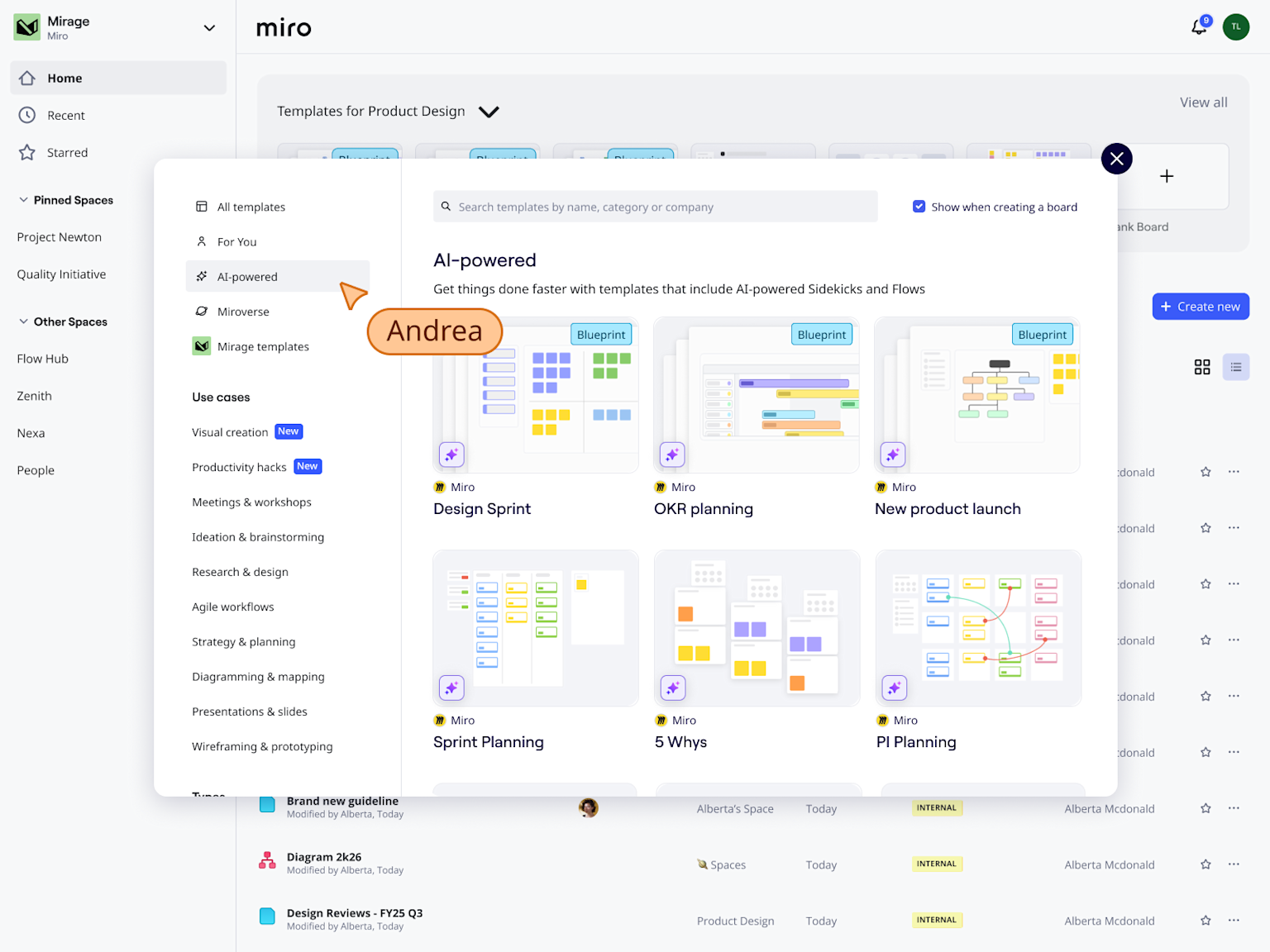
TL;DR: Miro is the most complete online whiteboard — an infinite, collaborative canvas that makes remote workshops feel almost like being in a room. Huge boards can slow down and need facilitation, but for visual teamwork it's the benchmark.
What is Miro?
Miro takes the whiteboard off the wall and makes it infinite, collaborative, and persistent. Teams drop sticky notes, diagrams, frames, and images onto a shared canvas and work on it together in real time, from different cities at the same moment.
Built for facilitation, Miro turns brainstorms, retros, and planning sessions into structured, reusable artifacts instead of photos of a physical board.
Standout features
- Infinite collaborative canvas. Fast, smooth real-time multiplayer.
- Huge template library. Retros, story mapping, journey maps, and more.
- Facilitation tools. Timers, voting, and frames keep sessions on track.
- Integrations. Pulls in content from the rest of your stack.
Pricing at a glance
| Plan | Approx. price (per member / mo) | Best for |
|---|---|---|
| Free | $0 | A few editable boards |
| Starter | ~$8–10 | Small teams needing unlimited boards |
| Business | ~$16–20 | Advanced features and security |
| Enterprise | Custom | Governance and scale |
Prices are approximate and change over time — verify on the official pricing page.
Who it's for
Product, design, and agile teams that run workshops and think visually — anyone who used to gather around a physical whiteboard.
Who should skip it
Teams that rarely brainstorm or diagram, or anyone on weaker hardware — very large, asset-heavy boards can get sluggish.
How it compares
FigJam is a lighter, Figma-native option. Mural is a close facilitation-focused rival. Lucidspark pairs well with the Lucid diagramming suite.
Final verdict
For workshops and visual planning, Miro is hard to beat — remote sessions feel nearly in-person. The discipline it needs is organizational: name frames, archive old boards, and facilitate.
FAQ
Is Miro free? Yes — the free plan includes a limited number of editable boards; paid tiers unlock unlimited boards and advanced features.
Does Miro get slow? Very large, image-heavy boards can lag, especially on older machines — split big boards up to keep them snappy.
Is Miro better than FigJam? Miro is deeper and more feature-rich; FigJam is simpler and ideal if you already live in Figma.
Pros
- Infinite, fast, collaborative canvas
- Huge template library for workshops
- Sticky notes, diagrams, frames, and voting
- Strong real-time multiplayer
- Integrations with major work tools
Cons
- Very large boards can slow down
- Free tier limits editable boards
- Can become a sprawling mess without facilitation
- Power features need paid tiers
Pricing
Free tier with limited boards; paid Starter and Business tiers per member/month, plus Enterprise. Indicative as of the review date — verify with Miro.
Verdict
4.4 / 5The most complete online whiteboard — brilliant for collaboration, though big boards demand a good machine.
Visit MiroAlternatives to consider
Get the next review first
One honest SaaS review in your inbox each week. No spam, unsubscribe anytime.
About the author
Sunny Dubey
Founder & Editor of StackReview. Sunny runs a digital marketing company in India and has spent years buying, deploying, and abandoning SaaS tools for his own team — every review here is tested, written, and scored by him after weeks of real use.
More from Sunny Dubey →