Notion Review: The All-in-One Workspace That Almost Does It All
StackReview is reader-supported. When you buy through links on our site, we may earn an affiliate commission. This never influences our scores.
Summary
4.5The most flexible workspace on the market — powerful once you climb the learning curve.
Best for: Teams and individuals who want docs, wikis, and databases in one place
- Ease of use
- 3.9
- Features
- 4.8
- Value for money
- 4.7
- Support
- 4.2
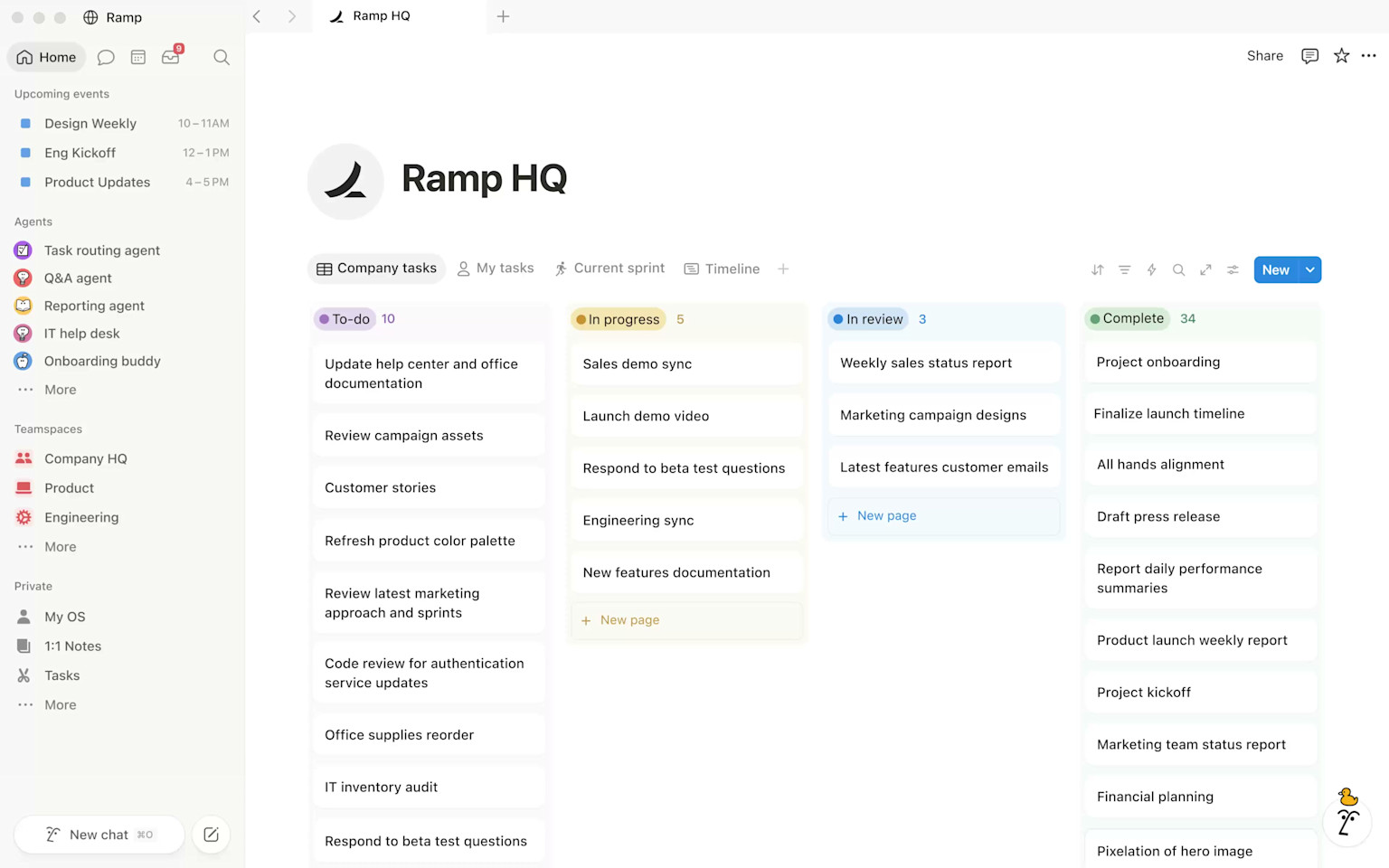
TL;DR: Notion is the most flexible workspace you can buy — one canvas for docs, wikis, and databases. Brilliant for teams that like to design their own systems, with a learning curve and offline gaps as the price of that power.
What is Notion?
Notion is a modular workspace built from "blocks" — paragraphs, tables, toggles, embeds — that you assemble into pages. A page can be a simple note or a full relational database with filters, linked records, and rollups. The promise is consolidation: replace your docs tool, your wiki, and a chunk of your project tracker with one app.
Over the last few years it has grown well beyond notes. Notion now ships a capable AI assistant, a calendar, forms, and automations, turning it from a document tool into a lightweight operating system for small teams.
Standout features
- Databases with multiple views. One table renders as a board, calendar, gallery, timeline, or list, and records link across databases so you can model a CRM, an editorial calendar, or an OKR tracker.
- Notion AI. Drafts, rewrites, summarizes, and answers questions across your workspace without leaving the page.
- Templates and sharing. A huge template gallery and granular sharing make it fast to spin up team wikis and public pages.
- Docs that people actually enjoy. Clean typography and slash-commands make everyday writing pleasant.
Pricing at a glance
| Plan | Approx. price (per user / mo) | Best for |
|---|---|---|
| Free | $0 | Individuals and light personal use |
| Plus | ~$10 | Small teams that need unlimited blocks and guests |
| Business | ~$15–20 | Growing teams needing SSO and advanced controls |
| Enterprise | Custom | Security, audit logs, and admin at scale |
Notion AI is a paid add-on on some plans. Prices are approximate and change over time — check the official pricing page before you buy.
Who it's for
Individuals and small-to-mid teams who value flexibility over rigid structure — founders, ops, marketing, and knowledge teams who like building their own systems.
Who should skip it
Teams that want an opinionated tool that enforces a workflow, or anyone who works offline a lot — Notion's offline support is still weak, and huge databases can lag.
How it compares
If you want a more code-friendly, formula-heavy canvas, look at Coda. For local-first, private notes, Obsidian is excellent. For a traditional enterprise wiki, Confluence is the incumbent.
Final verdict
Notion is close to unmatched as a flexible workspace. Budget a day or two to design your setup and resist over-engineering, and it becomes the hub your team opens first every morning.
FAQ
Is Notion free? Yes — the free plan is genuinely useful for individuals, with paid tiers unlocking unlimited blocks for teams, SSO, and admin controls.
Can Notion replace my project management tool? For small teams, often yes. For dependency-heavy programs with resource planning, a dedicated tool will still serve you better.
Does Notion work offline? Partially. It's improved but still unreliable for heavy offline work — test it if you frequently write without a connection.
Pros
- Endlessly flexible blocks and databases
- Excellent docs, wikis, and templates
- Strong collaboration and sharing
- Notion AI is genuinely useful for drafting and summarizing
- Great free tier for individuals
Cons
- Steep learning curve for new teams
- Can get slow with very large databases
- Offline support is still weak
- Easy to over-engineer your setup
Pricing
Free plan for personal use; paid Plus and Business tiers per user/month, with an Enterprise tier. Pricing shown is indicative as of the review date — verify current rates on Notion's site.
Verdict
4.5 / 5The most flexible workspace on the market — powerful once you climb the learning curve.
Visit NotionAlternatives to consider
Get the next review first
One honest SaaS review in your inbox each week. No spam, unsubscribe anytime.
About the author
Sunny Dubey
Founder & Editor of StackReview. Sunny runs a digital marketing company in India and has spent years buying, deploying, and abandoning SaaS tools for his own team — every review here is tested, written, and scored by him after weeks of real use.
More from Sunny Dubey →