Figma Review: The Design Tool That Ate the Industry
StackReview is reader-supported. When you buy through links on our site, we may earn an affiliate commission. This never influences our scores.
Summary
4.8The default for interface design — collaborative, fast, and remarkably complete.
Best for: Product and UI teams that design collaboratively in the browser
- Ease of use
- 4.5
- Features
- 4.9
- Value for money
- 4.4
- Support
- 4.5
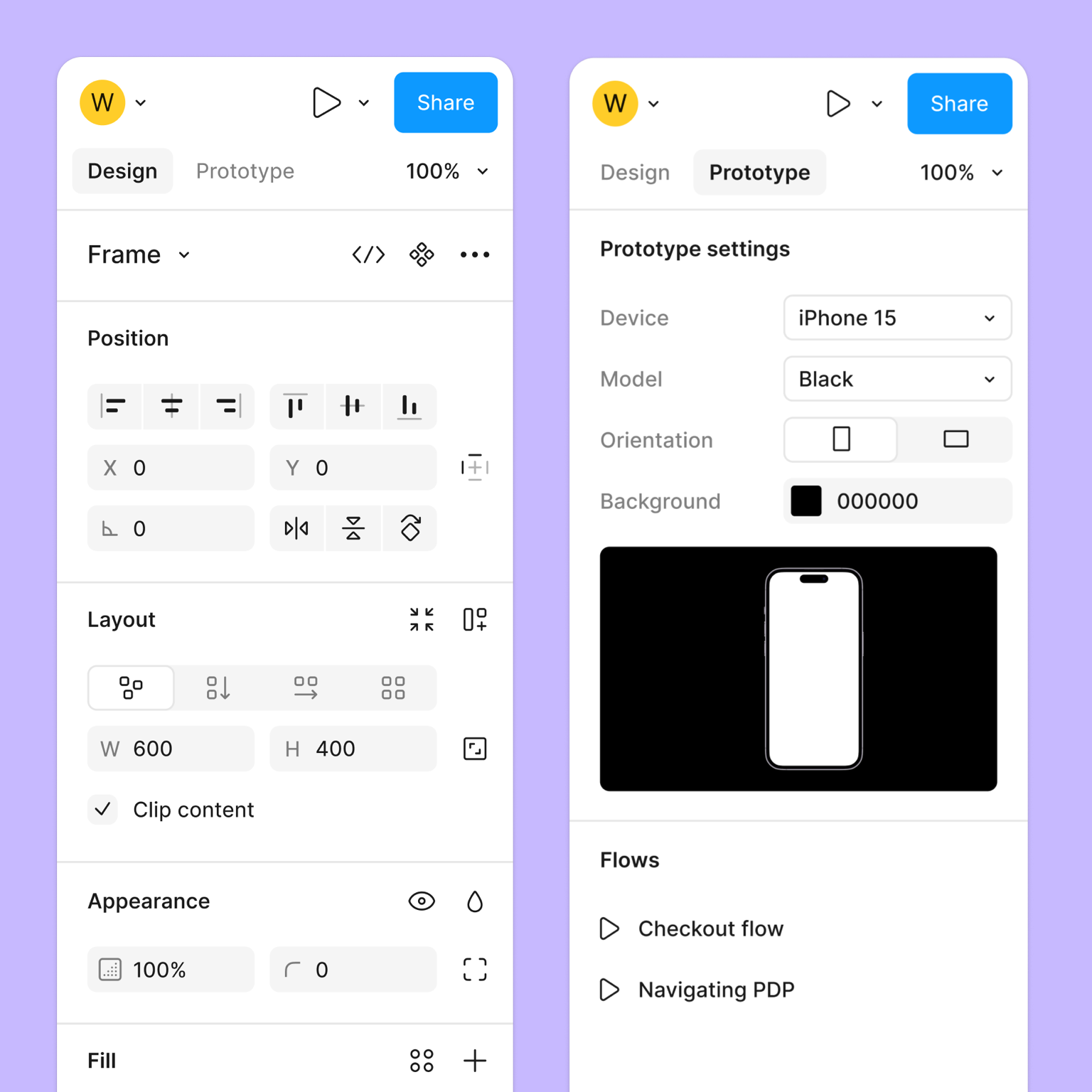
TL;DR: Figma is the default for interface design — browser-based, real-time, and remarkably complete from wireframe to developer handoff. Watch the editor-seat math, but for product teams it's close to essential.
What is Figma?
Figma put design in the browser and made it multiplayer, like a shared document for interfaces. Designers, PMs, and engineers can all be in the same file at once — no files to email, no fonts to sync.
Beneath that collaborative surface sits a serious design tool with a scalable component system, plus Figma's Dev Mode for handoff and FigJam for early-stage whiteboarding.
Standout features
- Real-time multiplayer. Live cursors, comments on the canvas, and painless version history.
- Components, variants, and auto-layout. The backbone of maintainable design systems.
- Dev Mode. Measurements, tokens, and code snippets so engineers can self-serve during handoff.
- Plugins and community. A vast library of plugins, templates, and UI kits.
Pricing at a glance
| Plan | Approx. price (per editor / mo) | Best for |
|---|---|---|
| Free (Starter) | $0 | Individuals and trying it out |
| Professional | ~$12–16 | Teams building shared design systems |
| Organization | ~$45 | Org-wide libraries and analytics |
| Enterprise | ~$75 | Advanced security and admin at scale |
Figma separates full editor seats from cheaper viewer/dev seats, and pricing has shifted over time — confirm on the official pricing page.
Who it's for
Any team doing collaborative interface design — from solo designers on the free tier to full product orgs.
Who should skip it
Teams needing cinematic, high-fidelity prototyping may still reach for a specialist, and heavy offline workflows aren't Figma's strength.
How it compares
Sketch remains a Mac-native favorite. Adobe XD integrates with Creative Cloud. For an open-source, self-hostable option, Penpot is maturing fast.
Final verdict
Figma is the closest thing to a standard in modern product design. Plan your editor-vs-viewer seats deliberately, and it pays for itself in reduced handoff friction alone.
FAQ
Is Figma free for individuals? Yes — the Starter plan covers solo work and small projects; teams pay per editor for shared libraries and admin.
What is Dev Mode? A dedicated view that gives engineers specs, tokens, and code snippets, reducing back-and-forth during handoff.
Does Figma work offline? Only in a limited way. It's built for the browser and expects a connection.
Pros
- Real-time multiplayer collaboration
- Runs in the browser on any OS
- Powerful components, variants, and auto-layout
- Dev Mode bridges design and engineering
- Huge community of plugins and templates
Cons
- Complex files can get sluggish
- Advanced prototyping still has limits
- Pricing changes have frustrated some teams
- Offline work is restricted
Pricing
Free starter plan; paid Professional and Organization tiers per editor/month, plus Enterprise. Dev Mode and FigJam may affect seat costs. Indicative as of the review date — confirm on Figma's site.
Verdict
4.8 / 5The default for interface design — collaborative, fast, and remarkably complete.
Visit FigmaAlternatives to consider
Get the next review first
One honest SaaS review in your inbox each week. No spam, unsubscribe anytime.
About the author
Sunny Dubey
Founder & Editor of StackReview. Sunny runs a digital marketing company in India and has spent years buying, deploying, and abandoning SaaS tools for his own team — every review here is tested, written, and scored by him after weeks of real use.
More from Sunny Dubey →